Credits
Overview
- 300Mbps wireless speed ideal for smooth HD video, voice streaming and online gaming
- Mini-sized design for convenient portability with a reliable high performance
- SoftAP Mode – Turn a wired internet connection to a PC or Laptop into a Wi-Fi hotspot
- Easily setup a secure wireless connection with one-touch WPS button
Download latest release
Install
You need a UEFI or ESP Clover installation to use this program, this does not install Clover, it will install only both kext RtWlanU1827.kext, RtWlanU.kext in the Other folder.
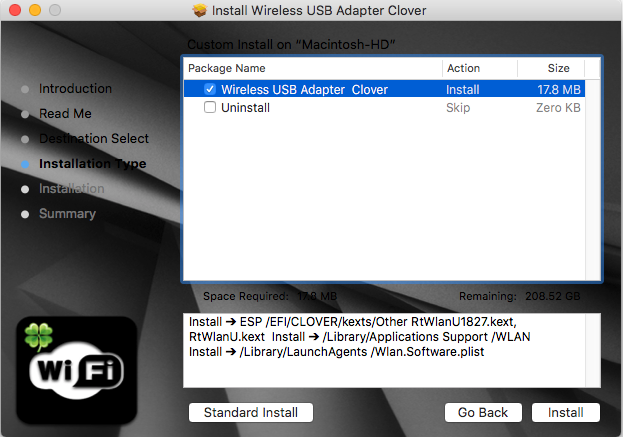
This driver runs for macOS Mojave 10.14.x . The system is required to reboot after the driver is installed, so please close all the other applications before installing this software. After the system boots up and you enter the system, please follow the following steps to configure the network:
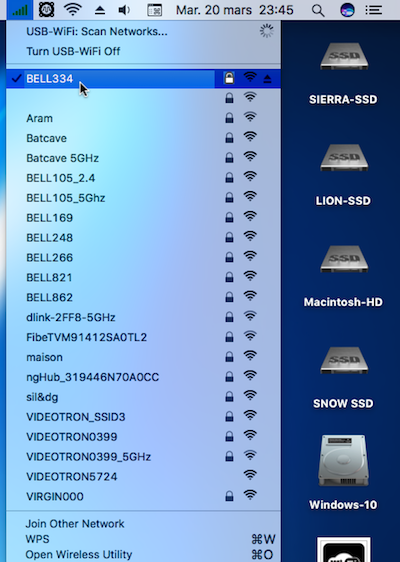
- Connect to the WLAN from the status bar Icons.
- Select the System Preferences from the System Menu.
- Select and launch the Network item in the System Preferences folder.
- From the Configure list, select the correct adapter and configure it.
- Configure the settings.
- Click the Save button.